
Math Alarm Clock: The Alarm App That Makes You Do Math to Turn It Off
By the Alarmor founder · Sanora Technologies
·
A math alarm clock is an alarm app that makes you solve math problems correctly before it will stop ringing. Because arithmetic needs working memory and attention, and is measurably slower and less accurate for a while after waking, solving a problem forces genuine mental wakefulness rather than a reflexive dismiss tap. In Alarmor, you solve three randomly generated problems, from "7 + 5" at Easy up to "4x + 11 = 51, solve for x" at Expert.
Why math specifically works as a wake-up trigger
Arithmetic is a good proxy for cognitive readiness because it requires working memory (holding numbers in mind), attention (reading the problem correctly), and sequential processing (carrying out the operation). In lab studies, people get fewer addition problems right in the first minutes after waking, and the impairment can take hours to clear completely (Hilditch & McHill, 2019). A multiplication problem is much harder to get through on autopilot than a reflexive screen tap.
What is actually happening cognitively
Working memory — the mental workspace where you hold a number, apply an operation, and produce a result — depends heavily on the front of the brain, and brain imaging shows that region is among the slowest to recover after waking (Balkin et al., 2002). A reflex action like tapping a button routes through much older, more automatic motor pathways and barely touches working memory at all. A math problem forces the slower, higher-level system to engage before it would otherwise be ready to, which is exactly the point — you are not waiting for wakefulness to arrive on its own schedule, you are demanding it.
What the math problems look like at each difficulty
A good math alarm needs to scale, since a problem that becomes trivial after a few mornings stops requiring real engagement. These are the four tiers in Alarmor's Maths Drill mission, with the exact number ranges the app draws from. Every alarm asks for three problems in a row, typed on a number pad.
- Easy — addition or subtraction of two numbers from 1 to 9. Example: 7 + 5 = ? or 8 − 3 = ?
- Medium — multiplication or division with a number from 11 to 20 and a number from 2 to 10. Example: 17 × 6 = ? or 102 ÷ 6 = ?
- Hard — a three-step expression: add two numbers, multiply, then subtract. Example: (34 + 12) × 4 − 19 = ?
- Expert — a one-step algebra equation where you solve for x. Example: 4x + 11 = 51 (x = 10)
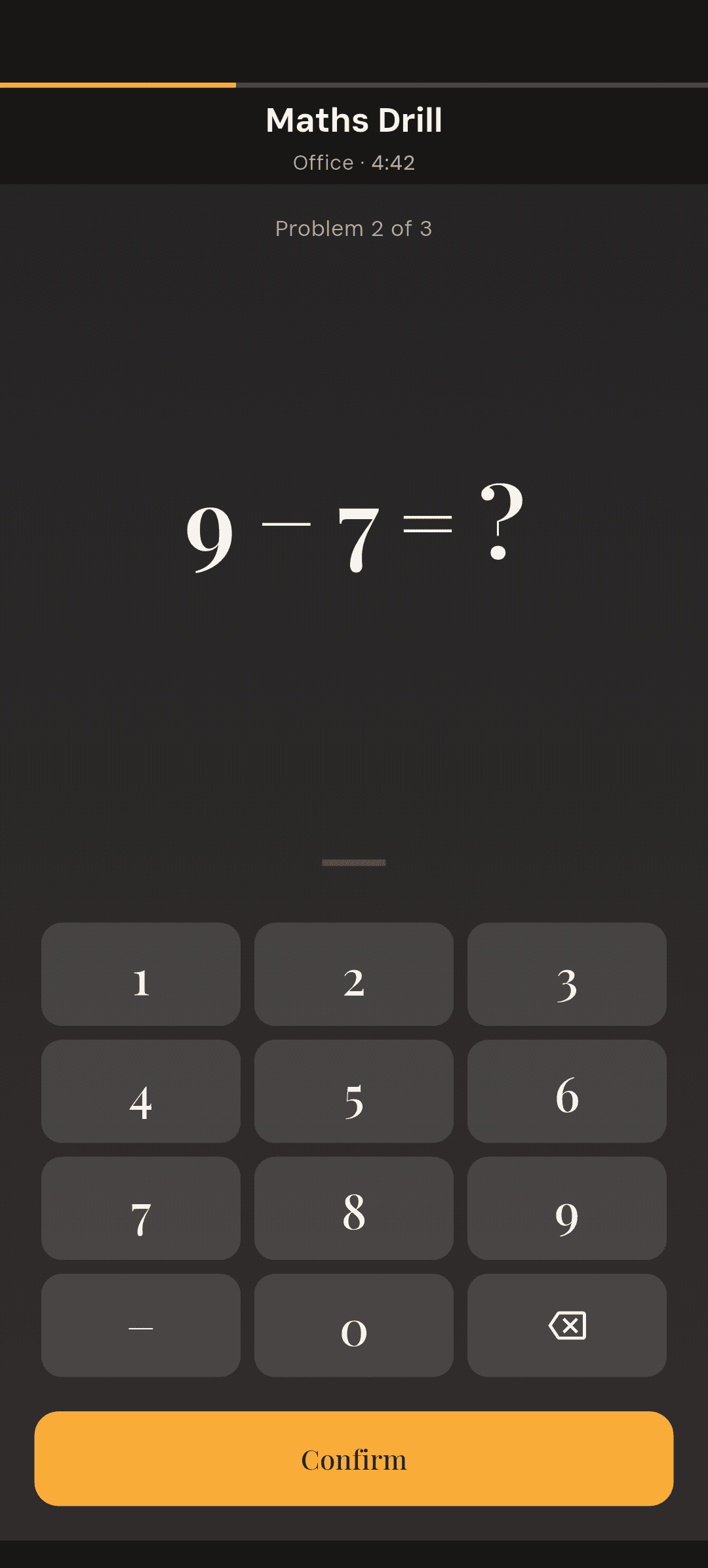
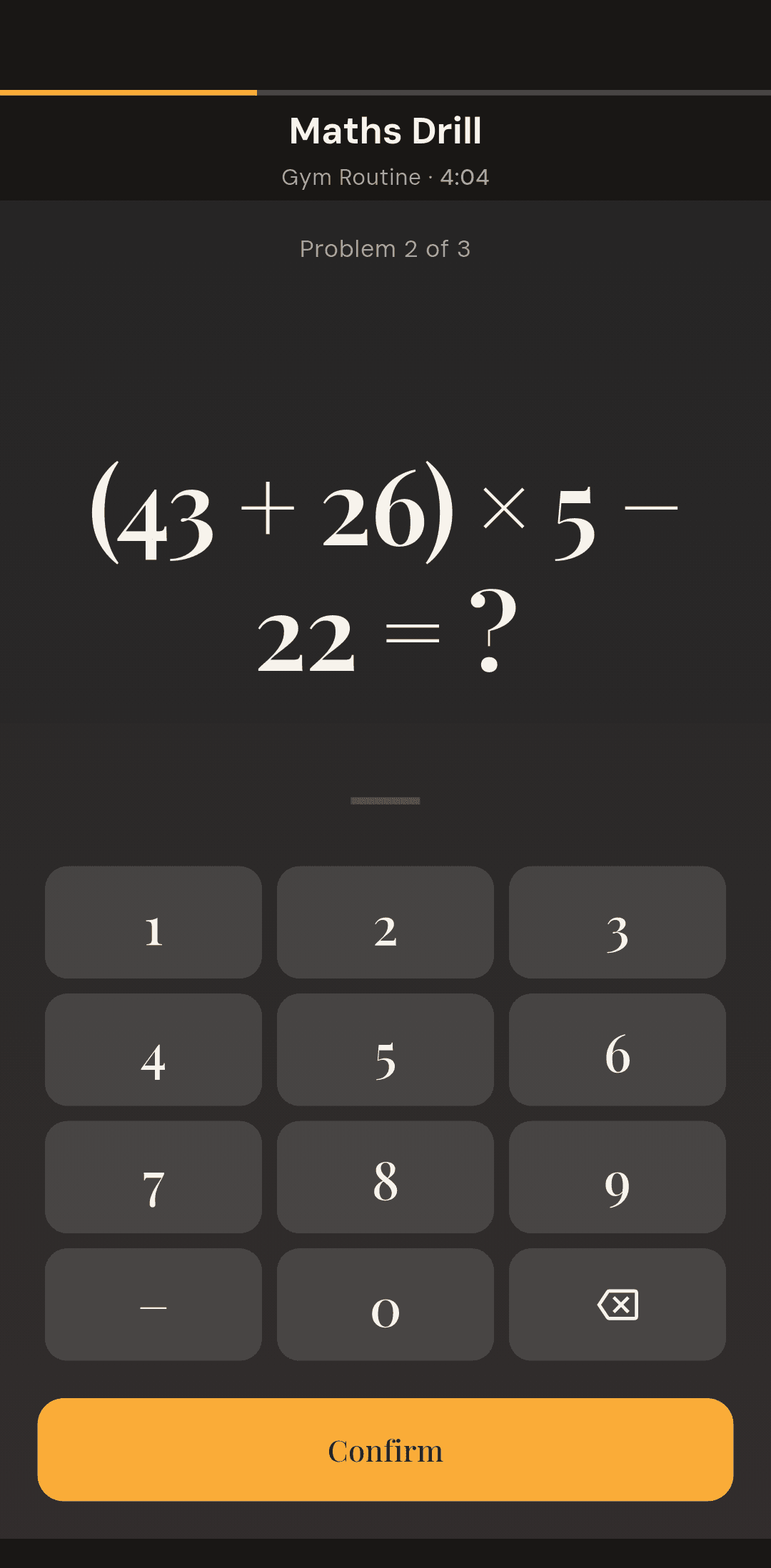
Easy is genuinely easy on purpose — it is for building the habit, not for testing you. For most people, Medium is the sweet spot: one two-digit multiplication is hard to do half-asleep but never feels unfair. Hard is where the mission starts to demand real working memory, because you have to hold an intermediate result while you do the next step. Easy, Medium and Hard are all free; Expert requires Alarmor Pro.
Fresh problems every time, and a fair way out
The most common way a math alarm stops working is that its problems repeat often enough to be pattern-matched rather than solved — a groggy brain learns the shape of the problem and produces the memorized answer without doing the arithmetic. Alarmor avoids this by generating every problem randomly within its tier's number ranges, so there is no fixed set to memorize. And if you get three answers wrong in a row, the mission drops one difficulty level and tells you it has done so — the mission never disappears, but it stays completable.
Math missions vs. physical missions
Math-based missions are the best entry point if you want cognitive engagement without getting out of bed — useful for early risers who share a room, or anyone who wants a fast, quiet wake-up. If arithmetic starts to feel too automatic, a memory game alarm tests attention instead: the pattern only shows for a second or two. If you find math alone is not enough to keep you from dozing back off between the mission and getting up, pairing it with a physical mission like Shake to Wake (via mission stacking) or switching to a QR code or barcode mission that requires walking somewhere is a stronger option.
Who a math alarm is the wrong fit for
It is worth being upfront about the limits. A purely cognitive mission does nothing to get you physically out of bed, so if your specific problem is falling back asleep after the alarm has already been silenced — rather than reflexively silencing it — a math mission alone will not fix that. In that case a Location or Physical mission, or stacking a math problem with one of those, addresses the actual failure point better than a harder math problem would — our guide to alarm apps for heavy sleepers covers that case in detail.
How to set up a math alarm in Alarmor
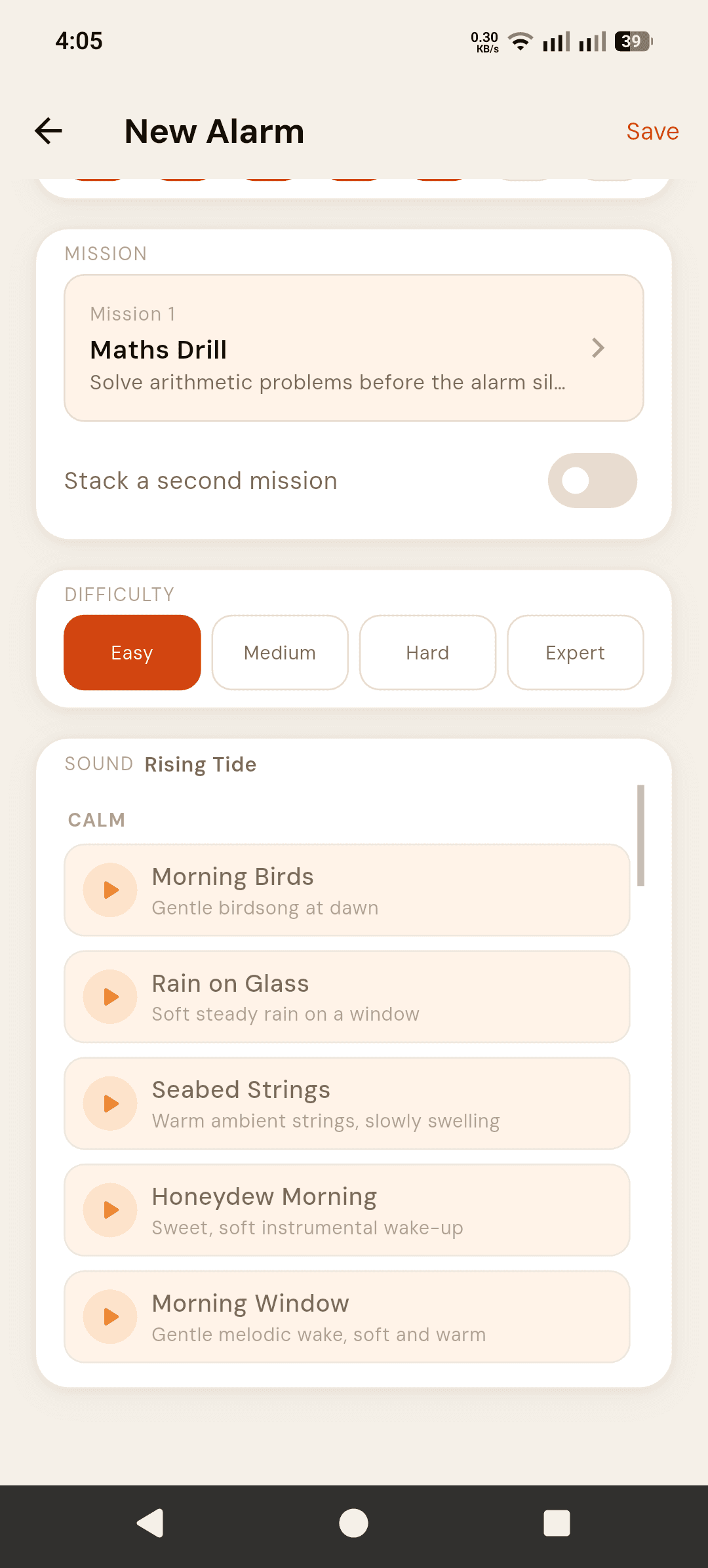
- Tap the + button on the Alarms screen and set your wake-up time.
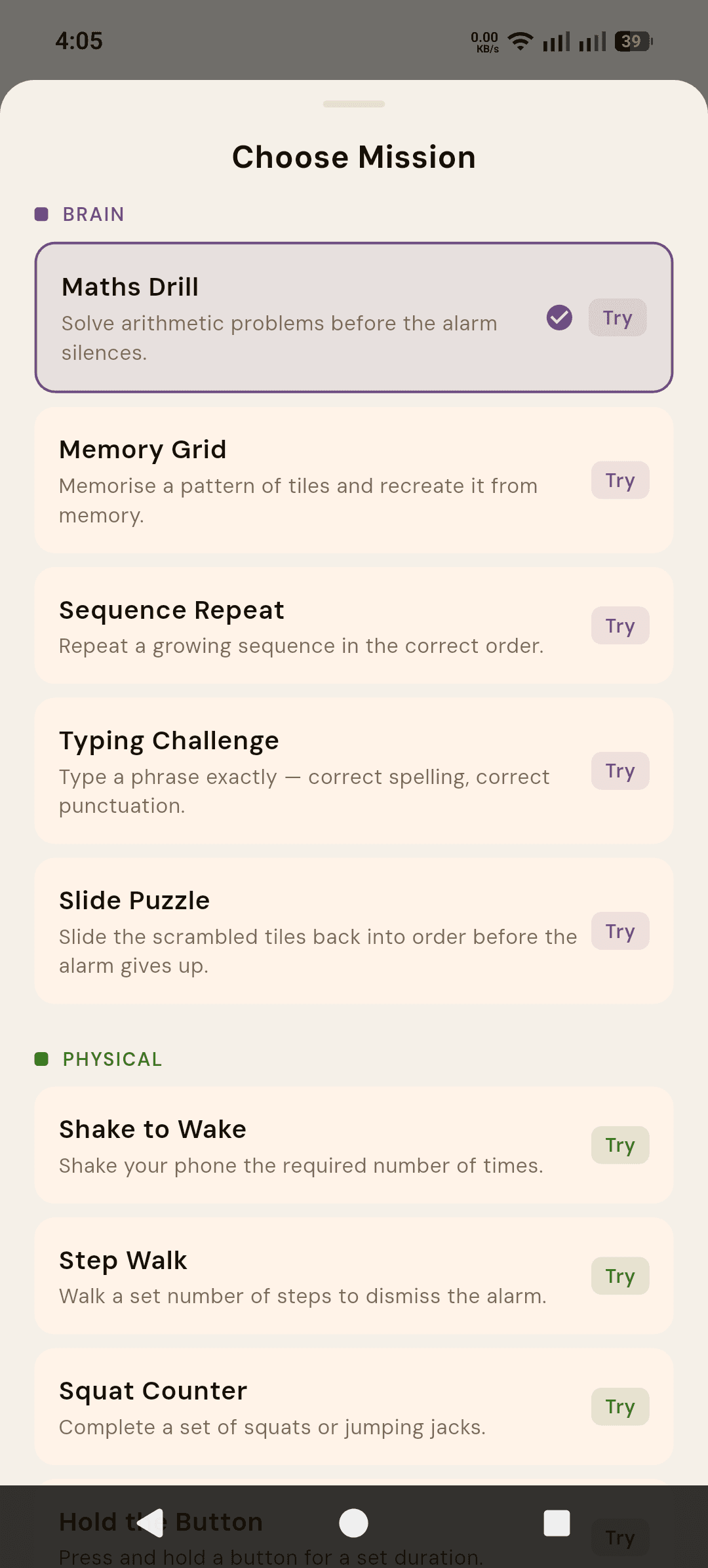
- Tap the Mission card and choose Maths Drill from the Brain category.
- Optional: tap Try next to Maths Drill to rehearse a problem before you rely on it.
- Pick a difficulty — Easy, Medium or Hard are free; Expert needs Alarmor Pro.
- Tap Save. When the alarm rings, it will not stop until you solve all three problems.
Try it before you commit to it
Maths Drill is one of the four free missions in Alarmor, the mission alarm app — available at Easy, Medium and Hard difficulty with no purchase required, so you can test whether a math alarm actually fits your morning before deciding whether to unlock Expert difficulty or the other 14 missions with Alarmor Pro.
Frequently asked questions
Is a math alarm clock actually more effective than a regular alarm?
For people who reflexively dismiss a normal alarm while still asleep, yes — requiring a correct arithmetic answer forces the kind of thinking that is measurably impaired right after waking, which a simple tap does not.
What happens if I keep getting the math problem wrong?
After three wrong answers in a row, Alarmor automatically steps the difficulty down one tier and tells you it has done so, rather than trapping you at a level you cannot solve while groggy. If the mission still is not finished after five minutes, the alarm dismisses itself and the morning is logged as incomplete.
Is the math mission free?
Yes. Maths Drill at Easy, Medium and Hard difficulty is included in Alarmor's free tier. Expert difficulty requires Alarmor Pro.
Will a math alarm work if I have already memorized the answer?
Not in Alarmor — every problem is generated randomly within your difficulty tier, so there is no fixed set to memorize. If a math mission ever starts feeling automatic rather than effortful, move up a difficulty tier or stack it with a physical mission.
Should I pair a math mission with something else?
If your issue is dismissing the alarm without waking, math alone is often enough. If your issue is waking up but then drifting back to sleep afterward, pairing it with a physical or location mission via mission stacking addresses that specific gap better than increasing math difficulty would.
Sources
- Hilditch CJ, McHill AW (2019). Sleep inertia: current insights. Nature and Science of Sleep, 11, 155–165.
- Balkin TJ, et al. (2002). The process of awakening: a PET study of regional brain activity patterns mediating the re-establishment of alertness and consciousness. Brain, 125(10), 2308–2319.
Ready to fight back against the snooze button?
Get it on Google Play →