
Memory Game Alarm: Turn Off Your Alarm by Remembering a Pattern
By the Alarmor founder · Sanora Technologies
A memory game alarm flashes a pattern of lit tiles on a grid for a second or two, then keeps ringing until you tap the same tiles back from memory. You cannot do it with your eyes half-closed: if you were not paying attention during the flash, you get a new pattern and start again. In Alarmor this is the Memory Grid mission — 3 tiles on a 3×3 grid at Easy, up to 8 tiles on a 5×5 grid at Expert.
Watch it: a real Memory Grid alarm on Hard
What you are seeing: the alarm rings, the screen says "Watch carefully," and six tiles light up. Then they go blank and you tap the six you remember. Get one wrong and you see "Wrong — watch the next pattern…" and a fresh pattern appears. The countdown next to the alarm name at the top is the five-minute safety fallback — more on that below.
Why a memory game wakes you up
A dismiss button can be pressed on autopilot. A memory pattern cannot, because it only exists for a moment: you have to be looking at the screen, paying attention, and holding the positions in your head while they disappear. That is visual working memory — the same kind of mental effort a math alarm demands, and exactly what is missing in the first groggy minutes after waking. The difference from math is timing. A math problem waits for you; a memory pattern does not. If your attention drifts, you miss it and have to watch again.
How hard each difficulty is
- Easy — 3 tiles on a 3×3 grid, shown for 2.4 seconds.
- Medium — 4 tiles on a 4×4 grid, shown for 2 seconds.
- Hard — 6 tiles on a 4×4 grid, shown for 1.8 seconds.
- Expert — 8 tiles on a 5×5 grid, shown for 1.2 seconds.
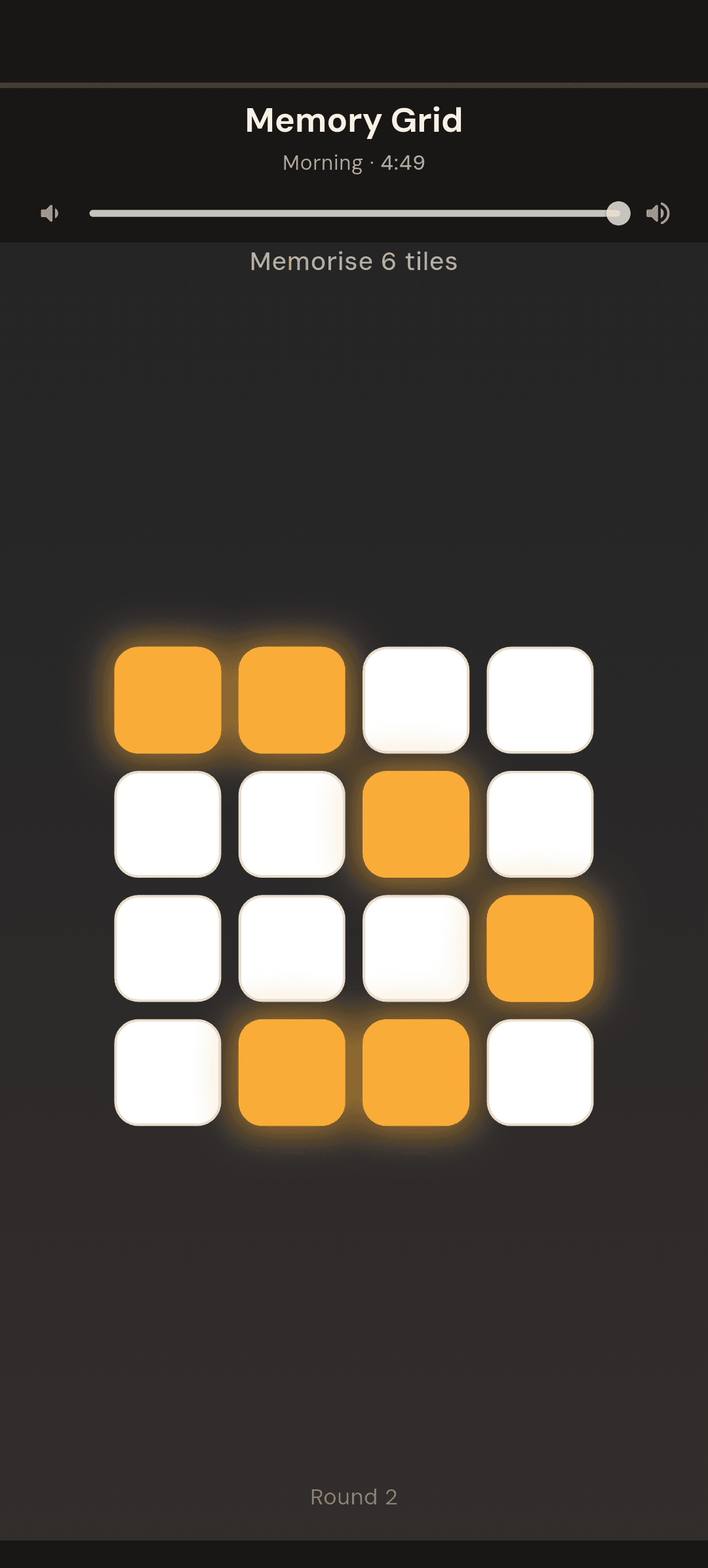
You only need to get one pattern right to stop the alarm. Easy is about building the habit; Hard is where it starts to take real concentration, because six positions is more than most people can hold at a glance when they have just woken up.
What happens when you get it wrong
Each wrong answer starts a new round with a new pattern, so you cannot guess your way through by remembering the last one. After three wrong rounds in a row, Alarmor gives you a longer look at the next pattern — the screen says "Wrong — you get a longer look next time." It never makes the pattern smaller: the number of tiles stays at the difficulty you chose, so the mission stays a real test. And if you still cannot finish, the alarm dismisses itself after five minutes and the morning is logged as incomplete in your stats.
Memory game alarm vs. math alarm
- Memory Grid — tests attention and visual memory. Fast when you are alert, impossible when you are not looking. Good if you find arithmetic too easy to do half-asleep.
- Maths Drill — tests calculation. The problem stays on screen, so it suits people who wake slowly but can think once they are looking. It is also free.
- Neither gets you out of bed. If falling back asleep is your problem, pair a brain mission with an alarm that makes you walk using mission stacking.
How to set up a memory game alarm in Alarmor
- Tap the + button on the Alarms screen and set your wake-up time.
- Tap the Mission card and choose Memory Grid from the Brain category. Tap Try to practise a round first.
- Pick a difficulty. Medium (4 tiles) is a good start; move to Hard once it feels easy.
- Tap Save.
Memory Grid is part of Alarmor Pro, a one-time purchase with no subscription. The free tier of Alarmor, the mission alarm app includes Maths Drill, so you can try a brain mission before you buy anything.
Frequently asked questions
What is a memory game alarm?
An alarm that shows a short pattern — in Alarmor, lit tiles on a grid — and keeps ringing until you recreate the pattern from memory. It forces you to pay attention, which you cannot do while still asleep.
How many tiles do I have to remember?
In Alarmor's Memory Grid: 3 tiles on a 3×3 grid on Easy, 4 on a 4×4 grid on Medium, 6 on a 4×4 grid on Hard, and 8 on a 5×5 grid on Expert.
What if I keep getting the pattern wrong?
Each wrong answer brings a new pattern. After three wrong rounds in a row you get a longer look at the next one, though the number of tiles never drops. If the mission is still not finished after five minutes, the alarm dismisses itself and the morning is logged as incomplete.
Is Memory Grid free?
Memory Grid is part of Alarmor Pro, a one-time purchase. The free tier includes Maths Drill, the other brain-style mission.
Ready to fight back against the snooze button?
Get it on Google Play →